
HappyHorse 1.1 Released: Five Major Feature Upgrades and Technical Parameters
On June 22, 2026, Alibaba released the HappyHorse 1.1 video generation model. Compared to the previous 1.0 version, this release introduces systematic enhancements across five key dimensions (dynamic expressiveness, subject consistency, instruction following, visual quality, and audio capabilities) while maintaining consistent technical specifications. Designed to support creators in fields such as short drama production, e-commerce advertising, brand marketing, and game CG, the model aims to provide more reliable and controllable video generation workflows.
No credit card required · Instant Preview
Key Feature Upgrades
The development of HappyHorse 1.1 focuses on addressing practical challenges faced by digital content creators. The upgrade introduces targeted optimizations to improve usability and final output quality.
1. Enhanced Dynamic Expressiveness
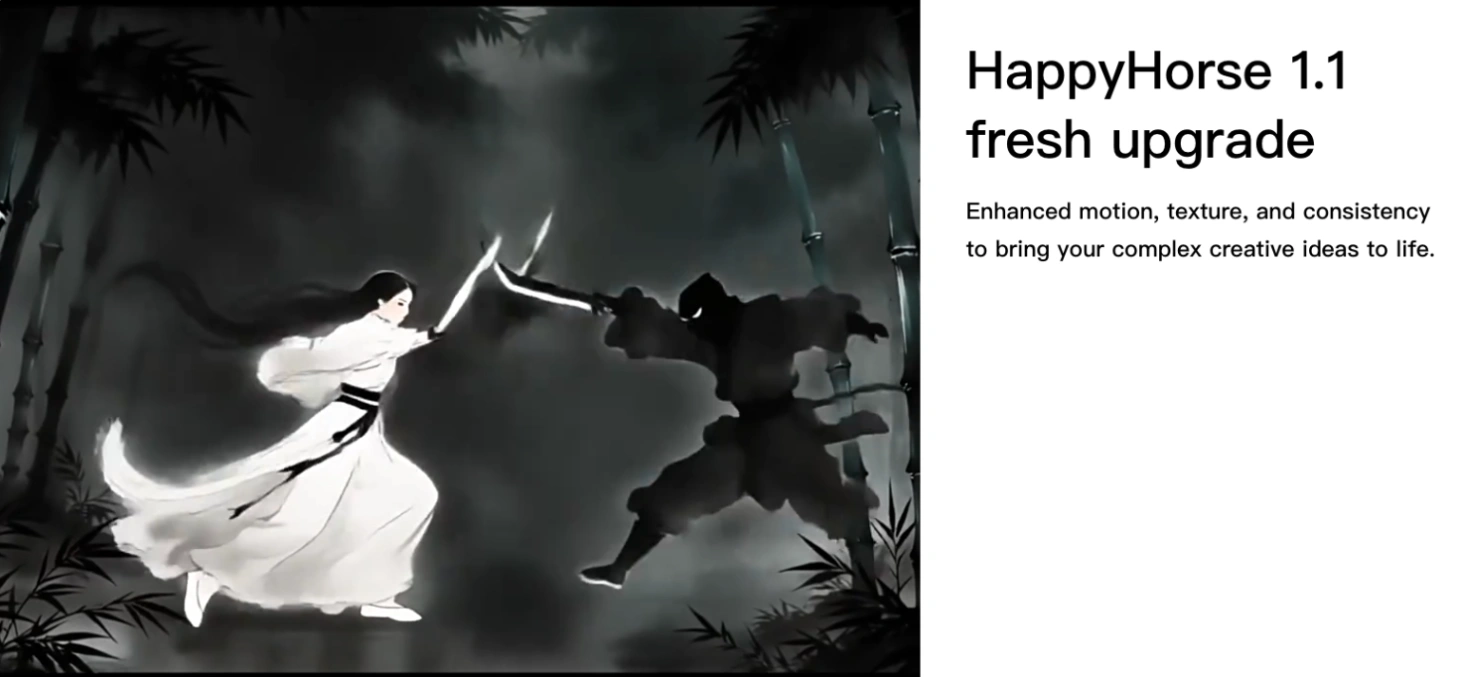
Action rendering in video generation remains a common challenge across the industry. To address the issues of sluggish movements or awkward pacing observed in the 1.0 version, HappyHorse 1.1 features optimized motion modeling and temporal consistency. These improvements help produce more coherent and powerful motion sequences, making action-heavy scenes appear more natural.
2. Improved Subject Consistency
Maintaining visual consistency across different frames is crucial for reducing the "gacha rate" (the rate of randomized or unusable outputs) for content creators. HappyHorse 1.1 supports the simultaneous input of up to nine character reference images. This capability stabilizes details of products, brand elements, and the relationship between characters and environments. It also enhances the model's understanding of multi-frame and N-grid references, which helps control the issue of "face-changing", particularly in multi-character dramas, live commerce, and multi-person advertisements.
3. Better Instruction Following
The model's ability to interpret prompts has been upgraded to handle both simple and complex descriptive structures. For high-intensity dynamic scenes, such as action sequences, simple prompts are now sufficient to guide the generation process. For complex narratives, the model offers stronger camera composition stability, enabling the coherent execution of multi-scene and multi-character stories.
4. Optimized Visual Quality
Feedback regarding visual artifacts like "oiliness", "over-sharpening", and loss of natural texture has been addressed in this release. HappyHorse 1.1 reduces these visual issues, opting instead to preserve realistic skin details such as acne marks, nasolabial folds, and pores. This level of detail helps meet the strict visual quality demands of professional advertising and short drama productions.
5. Upgraded Audio Capabilities
To make voice generation more natural, the model now dynamically adjusts dialogue delivery, pacing, pauses, and emotional tone based on the context of the scene. Additionally, users can describe background sounds and environmental audio directly within their text prompts to build a more immersive auditory experience.
Technical Specifications and Operating Modes
While Happy Horse 1.1 introduces significant quality upgrades, its foundational technical specifications remain consistent with the 1.0 version. The model supports single-generation video lengths from 3 to 15 seconds, with resolutions of 720p or 1080p and free aspect ratios.
Below are the detailed technical parameters for the three operational modes supported by the model:
1. Image to Video (First Last Frame) Mode
This mode allows users to animate a static image by specifying the initial frame, with an optional prompt to guide the motion.
image_url(string): The URL of the first frame image. Supported formats include JPEG, JPG, PNG, BMP, and WEBP. The image must have a minimum dimension of 300px, an aspect ratio between 1:2.5 and 2.5:1, and a maximum file size of 20 MB.prompt(string, optional): An optional text prompt to guide the animation, with a maximum limit of 2500 characters.resolution(ResolutionEnum): The output video resolution tier. The default value is "1080p", with possible enum values of720pand1080p.duration(DurationEnum): The output video duration in seconds (ranging from 3 to 15 seconds). The default value is "5", with possible enum values from3to15.
2. Reference to Video Mode
This mode is designed for scenarios requiring high subject consistency, utilizing reference images to maintain character or product details.
prompt(string): A text prompt describing the desired video. Users can reference specific subjects from the uploaded images by using identifiers likecharacter1,character2, up tocharacter9(the order must correspond to the order of the provided image URLs). The maximum limit is 2500 characters.image_urls(list of strings): A list containing 1 to 9 reference images for subject consistency. Supported formats include JPEG, JPG, PNG, and WEBP. The shortest side of each image must be at least 400px (a resolution of 720p or higher is recommended), with a maximum file size of 10 MB per image.aspect_ratio(AspectRatioEnum): The aspect ratio of the generated video. The default value is "16:9", with possible enum values including16:9,9:16,1:1,4:3,3:4,21:9,9:21,5:4, and4:5.resolution(ResolutionEnum): The output video resolution tier. The default value is "1080p", with possible enum values of720pand1080p.duration(DurationEnum): The output video duration in seconds (ranging from 3 to 15 seconds). The default value is "5", with possible enum values from3to15.
3. Text to Image Mode
This mode functions to generate short video sequences directly from text descriptions.
prompt(string): A text prompt describing the desired video scene, with a maximum limit of 2500 characters.aspect_ratio(AspectRatioEnum): The aspect ratio of the generated output. The default value is "16:9", with possible enum values including16:9,9:16,1:1,4:3,3:4,21:9,9:21,5:4, and4:5.resolution(ResolutionEnum): The output video resolution tier. The default value is "1080p", with possible enum values of720pand1080p.duration(DurationEnum): The output video duration in seconds (ranging from 3 to 15 seconds). The default value is "5", with possible enum values from3to15.
Conclusion and Application Scenarios
By maintaining consistent technical specifications while focusing on key user experience pain points, HappyHorse 1.1 offers a more practical tool for content creators. The model continues to serve diverse production environments, including short dramas, e-commerce, brand marketing, and game CG. Alibaba continues to iterate on the model's capabilities to support the evolving needs of the digital media industry.