
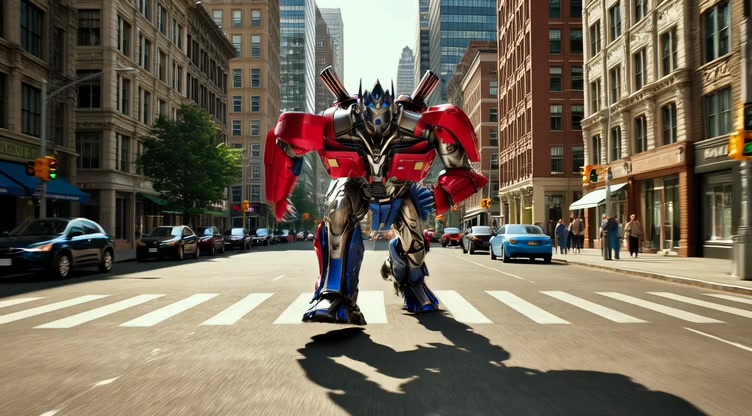
Kling 3.0 Motion Control AI Video Generator
Experience the next level of video direction with Kling 3.0 Motion Control. Powered by Visual Chain-of-Thought (vCoT) technology, this tool offers precise control over camera movement, subject dynamics, and complex action sequences with superior physics adherence.
The generated character will mirror the movements of the reference video. Duration ranges from 3.5s to 30s based on the selected Character Orientation below.
[Determines character facing logic. 'Image Mode': Maintains the perspective of the uploaded photo (Max 10s). 'Video Mode': Follows the movement direction of the reference video (Max 30s).]
The generated video will appear here.
You can view your videos from the "My Creations" menu.
Logic-Driven Motion Precision
Powered by Kling 3.0's vCoT, the Motion Control AI analyzes the causal relationship of movements, ensuring characters and objects interact naturally with their environment.
Cinematic Camera Control
Direct your scene like a filmmaker. Kling Motion Control allows for precise definitions of camera trajectories, including complex pans, tilts, and tracking shots.
Complex Action Execution
Kling 3.0 excels at understanding long, multi-stage motion prompts. Instruct characters to perform specific sequences of actions with improved consistency.
Physics-Compliant Dynamics
The updated model reduces 'hallucinations' in movement, ensuring that fluid, cloth, and rigid bodies move according to realistic physical laws.
Native 1080p Motion Clarity
Generate videos where fast-paced motion remains crisp and clear, supporting the native high-resolution capabilities of the Kling 3.0 Video model.
Targeted Area Animation
Focus movement on specific elements of an image while keeping others static, giving you granular control over the visual narrative.
Enhanced Prompt Adherence
Kling 3.0 strictly follows motion descriptors in your text, reducing the need for multiple regenerations to get the movement right.
Professional Storytelling
With precise control over camera and actor movement, creators can craft deliberate narratives rather than relying on random AI outcomes.
Seamless Reference Integration
Kling 3.0 combines Motion Control AI with reference images to animate static assets into lifelike videos without losing subject identity.
Next-Gen Physics Engine
Benefit from the Kling 3.0 model's deep understanding of the physical world, making car chases, fluid simulations, and character walks look authentic.
Flexible Aspect Ratios
Control motion across various frame sizes, from cinematic widescreen (16:9) to vertical social media formats (9:16), without compromising composition.
Cutting-Edge AI Technology
Access the latest advancements from Kuaishou's Kling AI research, ensuring your content is built on the most capable video generation foundation available.
Film & Animation Pre-viz
Rapidly visualize complex camera moves and blocking for storyboards using Kling 3.0 Motion Control to save time on set.
Dynamic Social Media Ads
Turn static product photos into engaging videos with controlled zooms and pans that grab attention on TikTok or Instagram.
Game Development
Generate fluid background assets or cutscene concepts where specific motion paths are critical for the player experience.
Music Videos
Create surreal or realistic clips that sync with the rhythm, using precise motion commands to match the mood of the audio.
Educational Content
Illustrate complex physical concepts or historical events with accurate motion simulations powered by Kling 3.0 Video.
Architectural Visualization
Simulate fly-throughs of building concepts with smooth, controlled camera paths that highlight design features.