
Seedance 2.0 Prompt Guide: The Ultimate AI Video Tutorial 2026
Date: June 10, 2026 (Updated)
Author: Tony (AI Technical Expert)
The landscape of generative video has shifted dramatically. With the official release of Seedance 2.0 on the Jimeng platform (即梦), we have moved past the era of simply "generating" random clips into a new age of "directing" precise scenes. As an AI technical specialist exploring this breakthrough, I have synthesized official documentation, early 2026 user reports, and expert community insights to bring you this comprehensive guide.
This article explores how Seedance 2.0 utilizes multimodal inputs (text, image, video, and audio) to offer unprecedented control over consistency, camera movement, physics simulation, and native multi-shot storytelling. Whether you are a filmmaker, short-drama creator, marketer, or motion designer, mastering the "language" of Seedance is now your most valuable skill.
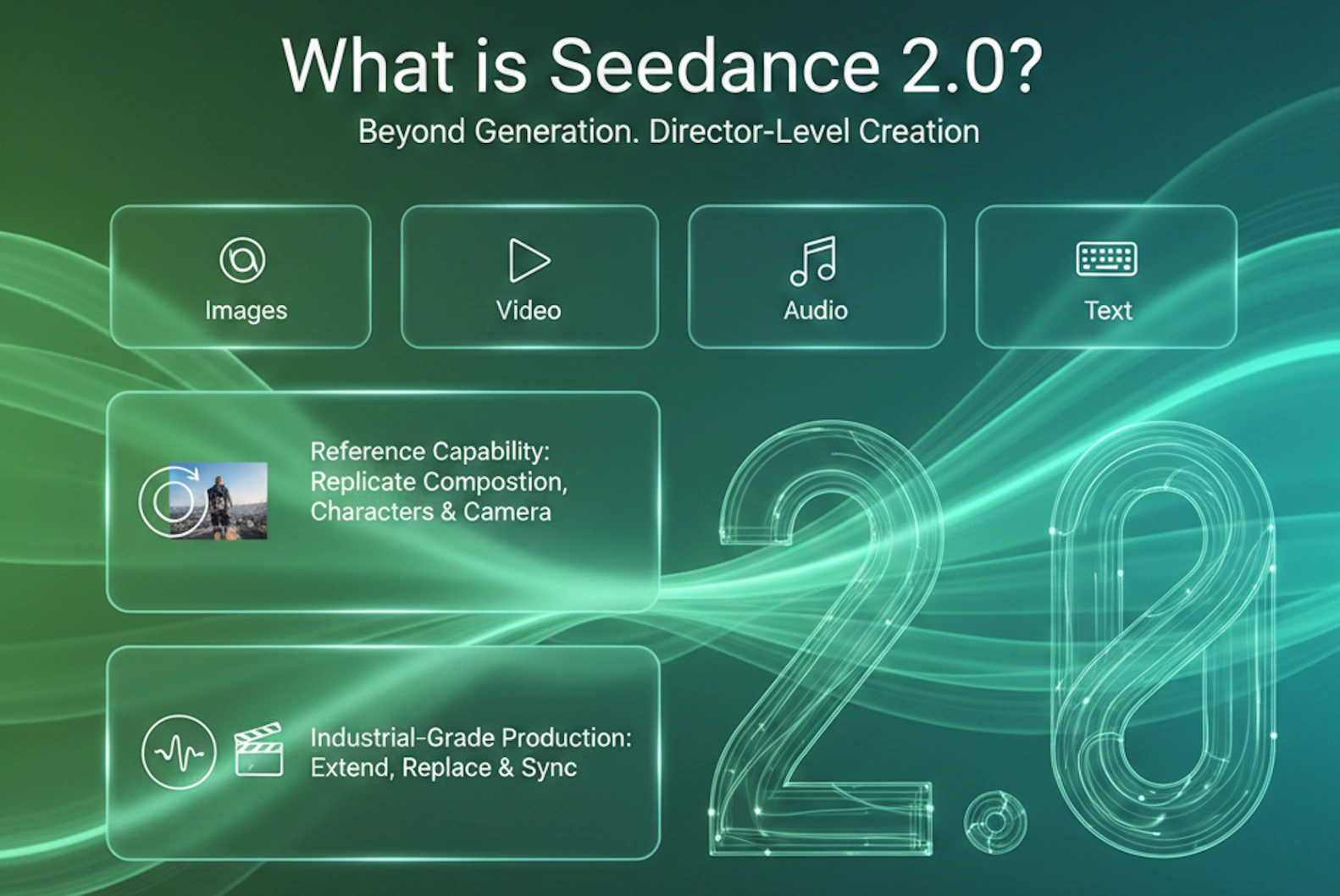
1. The Core Philosophy of Seedance 2.0
Unlike its predecessors (and many 2025 competitors), Seedance 2.0 is designed around the concept of "Reference & Control". It does not just guess what you want; it looks at what you provide, and it binds those references very precisely. The model supports a mix of up to 12 files (up to 9 images, up to 3 videos ≤15 s total, up to 3 audios ≤15 s total) to define identity, motion, environment, lighting reference, rhythm, and sound.
Important 2026 update: As of early February 2026, the platform has restricted or fully disabled real-human face/video references as primary subjects due to deepfake and consent concerns. Non-realistic / stylized / animated characters and most creative IP references remain fully supported.
The "@" Reference System
The most distinct feature of the Seedance 2.0 interface is the ability to tag specific assets in your prompt using the "@" symbol. This eliminates ambiguity and dramatically raises success rate.
- Identity / Appearance: "@image1 as the main character, strictly preserve facial features, hairstyle, clothing texture"
- Motion / Performance: "@video1 as the exact choreography reference, replicate joint timing and weight transfer"
- Camera & Editing: "@video2 as camera movement bible, copy all dollies, pans, transitions, pacing"
- Environment / Lighting: "@image3 as background style and golden-hour rim light reference"
- Audio / Rhythm: "@audio1 drives the editing rhythm and supplies background score"
Pro tip: Always bind references before writing the full scene description. The model respects priority order.
2. The Golden Prompt Formula
To get the best results from Seedance 2.0, avoid vague descriptions like "cool video". Instead, construct your prompts using this structured approach, inspired by Google’s prompting principles and Seedance's technical requirements:
[Reference/Subject] + [Action/Movement] + [Camera Language] + [Atmosphere/Lighting] + [Technical Constraints] + [Time-line / Multi-shot Beats (optional but powerful)]
Breakdown:
- Reference: Explicitly state who or what is in the scene using your uploaded assets (e.g., "The cyberpunk ronin from @image1").
- Action: Use dynamic, physics-aware verbs. Instead of "walking", try "strolling leisurely with coat tails trailing naturally in the wind" or "sprinting aggressively with realistic foot-plant impact".
- Camera Language: This is where Seedance 2.0 shines brightest among 2026 peers. Use professional cinematographic terms (see expanded list below).
- Atmosphere: Describe dynamic lighting (volumetric god rays at golden hour, harsh neon bounce, dramatic rim + fill) and emotional tone.
- Technical: Specify resolution, simulation quality, and anti-artifact constraints (4K, photorealistic skin micro-details, physically-based fluid/cloth simulation, no ghosting, temporal coherence across frames).
- Time-line (new best practice): For clips >6–8 seconds, break into timed beats. Seedance automatically plans multi-shot sequences when guided this way.
3. Mastering Camera Movement
Seedance 2.0 demonstrates unusually strong comprehension of cinematic vocabulary, often outperforming Kling and Runway Gen-3 in natural motion path adherence and transition smoothness when terms are used precisely. It particularly excels at reference-video camera imitation, multi-shot automatic planning, and physics-aware trajectory execution.
Basic Movements
- Pan (Horizontal): "Slow pan right across the sprawling neon metropolis at dusk, revealing layered holographic billboards"
- Tilt (Vertical): "Low-angle tilt up from rain-soaked combat boots to the rain-streaked face, emphasizing towering presence"
- Zoom (Lens Change): "Gradual 5-second zoom in on the glowing artifact, shallow depth of field isolating it from background bokeh"
- Dolly (Physical Move): "Smooth 4-second dolly in on the emotional embrace, background gently compressing"
- Truck (Lateral Move): "Truck left parallel to the speeding motorcycle, matching velocity, motion blur on wheels"
Advanced Combinations (The "Director's" Level)
Seedance 2.0 handles these composites exceptionally cleanly when limited to 2–3 simultaneous instructions per segment.
-
The Hitchcock Zoom (Dolly Zoom / Vertigo Effect)
Dolly physically backward while zooming in (or reverse), background dramatically distorts while subject size stays near-constant.
Prompt: "Dolly back while zooming in on the protagonist's shocked realization; foreground subject size constant, background architecture warps and stretches violently." -
Orbit / Arc Shot
Full or partial circular path emphasizing centrality or isolation.
Prompt: "Smooth 270-degree clockwise orbit around the samurai at chest height, cherry blossoms falling in slow motion, blade glinting in rim light." -
FPV / Drone Dive
Aggressive, high-speed flying perspective.
Prompt: "High-velocity FPV drone dive plunging vertically through skyscraper canyons, sharp banking turn 2 meters above rushing river surface." -
Rack Focus (Pull Focus)
Smooth focus pull guiding attention.
Prompt: "Start rack focus on foreground raindrops clinging to glass (@image1 reference), background softly blurred; then pull focus to the solitary figure in the rainy street, raindrops now bokeh." -
Whip Pan
Rapid rotational blur for high-energy cuts.
Prompt: "Tight close-up on hero's determined eyes, then aggressive whip pan right with heavy motion blur revealing the antagonist emerging from shadow." -
Dutch Angle (Canted Angle)
Horizon tilt for psychological unease.
Prompt: "Low-angle Dutch angle (35-degree tilt), flickering fluorescent hallway feels oppressive and unstable." -
SnorriCam (Body Mount)
Actor-mounted camera, face locked center, violent background shake.
Prompt: "SnorriCam rig locked to protagonist's torso; face remains centered and sharp while chaotic city rushes and shakes violently behind during frantic sprint." -
Crane / Jib Shot
Sweeping vertical reveal.
Prompt: "Start intimate on clasped hands, then majestic crane up and forward revealing the vast battlefield at sunrise." -
Bullet Time / Frozen Moment
Time slows/stops while camera keeps moving.
Prompt: "Bullet Time sequence: explosion frozen mid-bloom, camera executes smooth 180° orbit around suspended character and debris."
New: Native Multi-Shot Narrative Intelligence
Seedance 2.0 can autonomously plan and execute 3–6 coherent shots from one prompt when you supply timed beats or clear narrative progression.
Example: "0–3 s: extreme close-up on eyes widening; 3–7 s: quick dolly out to medium revealing rooftop standoff; 7–12 s: orbiting arc around both characters during dialogue; maintain consistent midnight blue hour lighting and rain continuity."
4. Advanced Multimodal Scenarios & Examples
Scenario A: Character Consistency in Narrative
Goal: Keep the actor's face & clothing rock-solid while changing environment/action.
Prompt: "Use the stylized ronin from @image1 as protagonist, strictly preserve facial structure, hair strands, clothing folds, accessory placement. He walks through a rain-drenched cyberpunk alley (@image2 style reference). Over-the-shoulder tracking shot following him. He stops, turns sharply with fearful expression. High-contrast neon cyan & magenta bounce lighting. 4K, cinematic film grain, micro-detail skin texture, no facial morphing."
Scenario B: Precise Motion Copying (Video-to-Video)
Goal: Transplant complex choreography to fantasy character.
Prompt: "Fantasy knight from @image1 exactly replicates the full sword sequence in @video1, match joint angles, timing, weight shifts, foot plants. Preserve heavy armor physics, cloth ripple, metallic clank sounds synced. Background: burning medieval castle at dusk. Add realistic spark & ash particles. 4K, physically accurate dynamics, no limb distortion during swings."
Scenario C: Product Commercials (The "Glamour Shot")
Goal: Luxury physics + lighting showcase.
Prompt: "Cinematic product shot of the @image1 perfume bottle on obsidian reflective surface. Soft sweeping key light caresses curved glass. Macro lens, f/1.4 shallow depth of field. Single viscous droplet slowly descends side (realistic surface tension & gravity). Slow 180° orbit. Luxurious black velvet void background, subtle chromatic aberration rim."
Scenario D: The "One-Take" (Long Take)
Goal: Fluid spatial journey.
Prompt: "Seamless one-take long shot. Start macro on eye of @image1 character. Rapid dolly out revealing rooftop stance. Camera continues flying backward through parting clouds, smooth parallax transition revealing epic landscape from @image2. Motion blur during flight, no visible cuts, consistent volumetric fog density."
Scenario E (new): Reference-Driven Multi-Shot Action Sequence
Goal: Borrow pro camera + edit rhythm.
Prompt: "@image1 female assassin performs parkour leap sequence exactly matching timing & limb paths in @video1. Fully replicate @video1 camera language: fast truck left → whip pan → low crane up reveal landing. Add realistic foot impact dust, cloth drag, hair inertia. Night rooftop neon environment. Maintain identity lock, no ghosting during flips."
5. Editing and Extending Video
Seedance 2.0 doubles as a strong post-production tool.
Video Extension
Upload clip → choose "Extend" → specify added seconds.
Prompt example: "Extend @video1 forward by 6 seconds. Character pauses at cliff edge, slow head turn toward camera with subtle smile, then body gradually dissolves into golden particles carried by wind. Overlay elegant handwritten 'To Be Continued…' fade-in."
Element Replacement / Local Edit
Prompt example: "Edit @video1. Replace running golden retriever with @image3 red panda cub. Preserve identical locomotion path, stride frequency, paw placement. Keep exact park background, lighting, shadows. Natural fur-light interaction, no seam artifacts."
6. Optimization & Troubleshooting Tips
-
Ghosting / Limb Smearing in Fast Action
→ Add: "high shutter speed simulation, sharp per-frame clarity, stabilized gimbal feel, no motion blur artifacts" -
Face / Identity Drift
→ Reinforce: "ironclad facial feature lock from @image1, zero deformation, hairstyle & makeup persistence across every frame" -
Conflicting / Overloaded Camera Instructions
→ Limit to 2–3 moves per 4–6 second block. Use "while" or "+" connectors: "slow dolly forward + subtle tilt up" -
Physics & Material Realism
→ Explicit keywords: "physically-based cloth simulation", "correct gravity & momentum", "realistic fluid surface tension", "accurate collision & deformation", "no floating or interpenetration" -
Multi-Shot Coherence
→ Supply clear temporal anchors or narrative intent. The model plans better when told story purpose.
Conclusion
Seedance 2.0 represents one of the most significant leaps in controllable AI video, shifting creators from lottery-style generation toward genuine director-level orchestration. The combination of precise @-reference binding, native multi-shot narrative intelligence, reference-camera imitation, and unusually robust physics/motion fidelity sets a high bar.
Experiment heavily with timed beats, reference chaining, and cinematic terminology. As the model iterates on the Jimeng platform, expect even tighter audio-visual sync and longer coherent sequences. For now, reference well, direct clearly, and let Seedance execute your vision.
Frequently Asked Questions about Seedance 2.0
As Seedance 2.0 redefines the workflow from simple text-to-video generation to precise AI directing, users often have questions about maximizing its capabilities. Below are answers based on the latest 2026 practical guides and technical documentation.
Q1: What makes Seedance 2.0 different from previous AI video models like Sora or Gen-3?
A: While most models focus on image quality, Seedance 2.0 differentiates itself through "Director-Level Control." Its core strength lies in understanding cinematic camera language (e.g., Smooth Dolly Follow, Crane Up) and its multimodal reference system. Instead of random generation, it allows users to bind specific images, videos, and audio tracks using the "@" symbol to control character consistency, motion paths, and narrative rhythm, making it more suitable for professional production pipelines than random generation.
Q2: Why do my Seedance 2.0 videos sometimes look shaky or distorted?
A: Stability issues usually stem from conflicting or overly complex prompt instructions. According to current best practices, you should follow the "Stabilization Rule":
- Keep it Simple: Avoid combining more than two complex camera moves (e.g., do not mix Fast Zoom + Orbit + Pan).
- Use Constraint Keywords: Always append negative or stability constraints to your prompt, such as "stabilized," "gimbal shot," "smooth transition," and "no jitter."
- Slow Down: AI generates slow motion with higher fidelity than fast motion. Describe actions as "slowly turning" or "walking naturally" rather than "running fast" to prevent limb distortion.
Q3: How can I maintain character consistency across different shots in Seedance 2.0?
A: Consistency is achieved through the Reference System. By uploading a character sheet or a specific frame and tagging it (e.g., "@image1 as the main character"), the model locks onto facial features and clothing. For best results, add specific constraint prompts like "consistent facial features," "structure normal," and "same outfit." This is particularly effective for narrative content or virtual influencers where identity retention is critical.
Q4: Can Seedance 2.0 handle text or UI elements for commercial videos?
A: Yes. Seedance 2.0 has shown remarkable capability in understanding static design assets. You can upload UI screenshots or product photos and use prompts like "Microsoft Fluent Design style" or "Cinematic macro shot." The model can animate static layers into 3D-like parallax videos, simulating glass textures, light reflections, and depth without needing 3D rendering software.
Q5: How does the audio-driven generation work in Seedance 2.0?
A: Unlike models that only see pixels, Seedance 2.0 can "hear." You can upload an audio file (music or voiceover) as a reference.
- For Music: The model can analyze the beat and mood to create an MV with cuts that match the rhythm (e.g., "Strictly align visual cuts with the drum beats in @audio1").
- For Speech: It can generate "Video Podcasts" or lip-synced content by extracting the emotional tone from the voice, ensuring the visual atmosphere matches the audio sentiment.
Q6: Is there an API available for automated workflows?
A: Yes, the Seedance 2.0 API is integrated into the Volcano Engine (火山引擎). This allows developers and agencies to build "Agents" that automate video production, such as automatically converting news text into broadcast videos, turning real estate floor plans into virtual tours, or generating e-commerce product showcases from simple images.
Q7: What is the recommended prompt formula for the best results?
A: To move from "usable" to "professional," use this structured framework:
[Shot Type] + [Subject Reference] + [Action (Slow/Specific)] + [Camera Movement (1-2 types)] + [Lighting/Atmosphere] + [Style] + [Quality Tags] + [Stability Constraints]
Example: [Medium Shot] + [A girl from @image1] + [Slowly turning head] + [Smooth Dolly In + Bokeh] + [Golden Hour lighting] + [Cinematic] + [4K, 8k] + [Stabilized, no deformation]